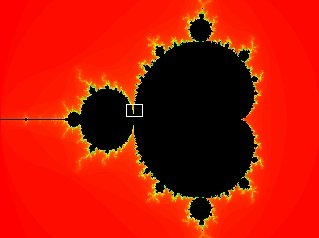
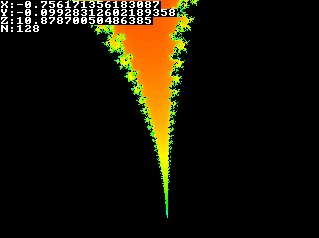
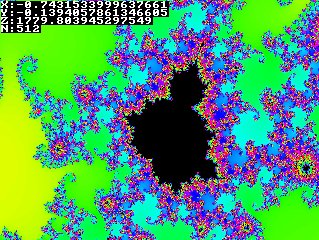
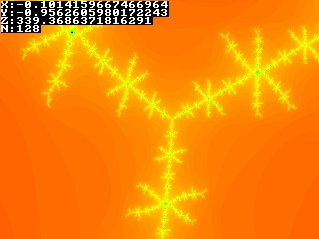
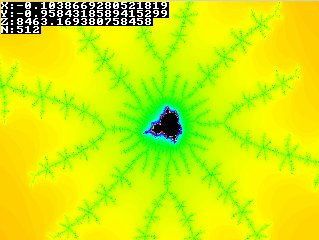
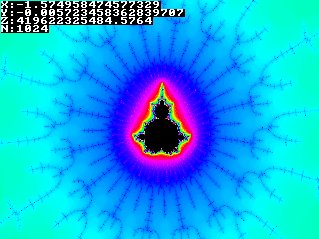
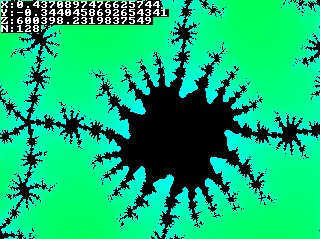
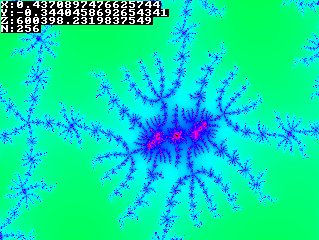
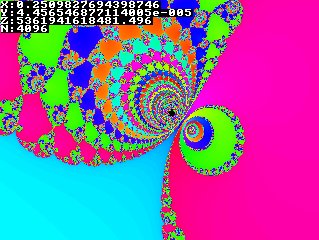
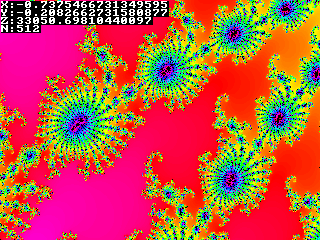
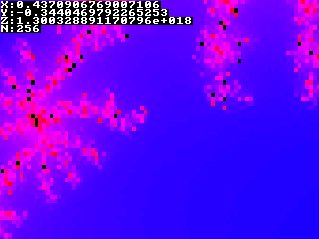
那么如何生成如此美丽的分形?简而言之:对每个像素,在复平面上迭代 znew = zold² + c,直到它离开以原点为圆心、半径为 2 的圆。迭代次数即为像素的颜色。
屏幕将代表复平面的一部分,在以原点为圆心、半径为 2 的圆内。对于一个像素,x 坐标代表其复坐标的实部,y 坐标代表虚部。
对于 Julia 集,对每个像素应用一个迭代复函数。该函数为 newz = oldz² + c,z 和 c 都是复数。z 最初是像素的坐标,然后在每次迭代中不断更新:每次迭代,上一次迭代的"newz"作为"oldz"使用。
持续迭代该函数,根据初始条件(像素),z 要么趋向无穷,要么永远留在以复平面原点为圆心、半径为 2 的圆内。永远留在圆内的点就属于 Julia 集。因此持续迭代函数,直到 z 到原点 (0,0) 的距离大于 2。还需设置最大迭代次数(例如 256),否则计算机会陷入无限循环。
像素的颜色值将等于在 z 到原点的距离大于 2 之前需要迭代的次数。公式中的常数 c 可以是任意值,只要它也在半径为 2 的圆内。不同的 c 值会产生不同的 Julia 集。有些 Julia 集是连通的,有些不是。Mandelbrot 集是所有能生成连通 Julia 集的点 c 的集合。
首先可以为函数选择常数 c,选择哪个值将决定分形的形状。本例取 c = (-0.5, 0.5),即实部为 -0.5,虚部为 0.5。
假设我们正在计算 256×256 屏幕上像素 (256, 192) 的颜色。首先将坐标变换到 -1 到 1 之间(如果在分形中缩放或移动则需要不同的变换):坐标变为 (1, 0.5),即 p = 1 + 0.5i。
现在第一次应用函数:
z = p² + c所以 z = (0.25, 1.5),z 到原点的距离 = sqrt(0.25*0.25 + 1.5*1.5) = 1.52069...,仍小于 2。
现在将计算出的 z 再次代入函数计算下一个 z:
迭代次数越多,深度缩放时 Julia 集看起来越详细,但需要的计算量也越多。数值精度越高,可以缩放的深度越大而不会出现像素化。
int main(int argc, char *argv[])
{
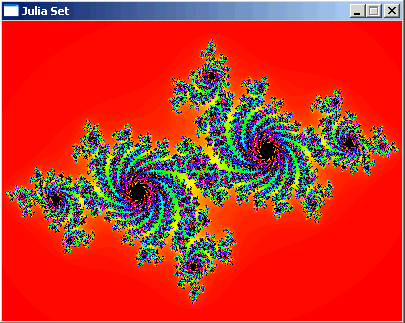
  screen(400, 300, 0, "Julia Set"); //make larger to see more detail!

  //each iteration, it calculates: new = old*old + c, where c is a constant and old starts at current pixel
  double cRe, cIm;           //real and imaginary part of the constant c, determinate shape of the Julia Set
  double newRe, newIm, oldRe, oldIm;   //real and imaginary parts of new and old
  double zoom = 1, moveX = 0, moveY = 0; //you can change these to zoom and change position
  ColorRGB color; //the RGB color value for the pixel
  int maxIterations = 300; //after how much iterations the function should stop

  //pick some values for the constant c, this determines the shape of the Julia Set
  cRe = -0.7;
  cIm = 0.27015;

  //loop through every pixel
  for(int y = 0; y < h; y++)
  for(int x = 0; x < w; x++)
  {
    //calculate the initial real and imaginary part of z, based on the pixel location and zoom and position values
    newRe = 1.5 * (x - w / 2) / (0.5 * zoom * w) + moveX;
    newIm = (y - h / 2) / (0.5 * zoom * h) + moveY;
    //i will represent the number of iterations
    int i;
    //start the iteration process
    for(i = 0; i < maxIterations; i++)
    {
      //remember value of previous iteration
      oldRe = newRe;
      oldIm = newIm;
      //the actual iteration, the real and imaginary part are calculated
      newRe = oldRe * oldRe - oldIm * oldIm + cRe;
      newIm = 2 * oldRe * oldIm + cIm;
      //if the point is outside the circle with radius 2: stop
      if((newRe * newRe + newIm * newIm) > 4) break;
    }
    //use color model conversion to get rainbow palette, make brightness black if maxIterations reached
    color = HSVtoRGB(ColorHSV(i % 256, 255, 255 * (i < maxIterations)));
    //draw the pixel
    pset(x, y, color);
  }
  //make the Julia Set visible and wait to exit
  redraw();
  sleep();
  return 0;
}
|
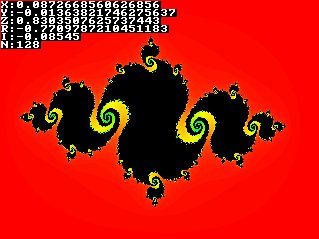
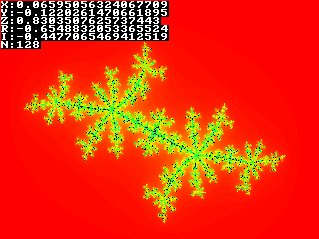
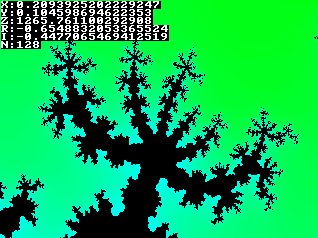
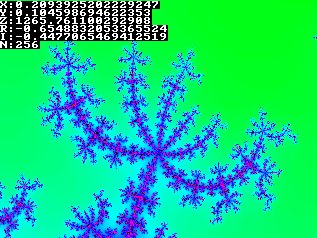
int main(int argc, char *argv[])
{
  screen(320, 240, 0, "Julia  Explorer");

  //each iteration, it calculates: new = old*old + c, where c is a constant and old starts at current pixel
  double cRe, cIm;           //real and imaginary part of the constant c, determines shape of the Julia Set
  double newRe, newIm, oldRe, oldIm;   //real and imaginary parts of new and old
  double zoom=1, moveX=0, moveY=0; //you can change these to zoom and change position
  ColorRGB color; //the RGB color value for the pixel
  int maxIterations=128; //after how much iterations the function should stop

  double time, oldTime, frameTime; //current and old time, and their difference (for input)
  int showText=0;

  //pick some values for the constant c, this determines the shape of the Julia Set
  cRe = -0.7;
  cIm = 0.27015;

  //begin the program loop
  while(!done())
  {
    //draw the fractal
    for(int y = 0; y < h; y++)
    for(int x = 0; x < w; x++)
    {
      //calculate the initial real and imaginary part of z, based on the pixel location and zoom and position values
      newRe = 1.5 * (x - w / 2) / (0.5 * zoom * w) + moveX;
      newIm = (y - h / 2) / (0.5 * zoom * h) + moveY;
      //i will represent the number of iterations
      int i;
      //start the iteration process
      for(i = 0; i < maxIterations; i++)
      {
        //remember value of previous iteration
        oldRe = newRe;
        oldIm = newIm;
        //the actual iteration, the real and imaginary part are calculated
        newRe = oldRe * oldRe - oldIm * oldIm + cRe;
        newIm = 2 * oldRe * oldIm + cIm;
        //if the point is outside the circle with radius 2: stop
        if((newRe * newRe + newIm * newIm) > 4) break;
      }
      //use color model conversion to get rainbow palette, make brightness black if maxIterations reached
      color = HSVtoRGB(ColorHSV(i % 256, 255, 255 * (i < maxIterations)));
      //draw the pixel
      pset(x, y, color);
    }

    //print the values of all variables on screen if that option is enabled
    if(showText <= 1)
    {
      print("X:", 1, 1, RGB_White, 1); print(moveX, 17, 1, RGB_White, 1);
      print("Y:", 1, 9, RGB_White, 1); print(moveY, 17, 9, RGB_White, 1);
      print("Z:", 1, 17, RGB_White, 1); print(zoom, 17, 17, RGB_White, 1);
      print("R:", 1, 25, RGB_White, 1); print(cRe, 17, 25, RGB_White, 1);
      print("I:", 1, 33, RGB_White, 1); print(cIm, 17, 33, RGB_White, 1);
      print("N:", 1, 41, RGB_White, 1); print(maxIterations, 17, 41, RGB_White, 1);
    }
    //print the help text on screen if that option is enabled
    if(showText == 0)
    {
      print("Arrows move (X,Y), Keypad +,- zooms (Z)", 1, h - 33, RGB_White, 1);
      print("Keypad arrows change shape (R,I)     ", 1, h - 25, RGB_White, 1);
      print("Keypad *,/ changes iterations (N)    ", 1, h - 17, RGB_White, 1);
      print("a to z=presets (qwerty), F1=cycle texts", 1, h - 9, RGB_White, 1);
    }
    redraw();

    //get the time and old time for time dependent input
    oldTime = time;
    time = getTicks();
    frameTime = time - oldTime;
    readKeys();
    //ZOOM keys
    if(keyDown(SDLK_KP_PLUS))  {zoom *= pow(1.001, frameTime);}
    if(keyDown(SDLK_KP_MINUS)) {zoom /= pow(1.001, frameTime);}
    //MOVE keys
    if(keyDown(SDLK_DOWN))  {moveY += 0.0003 * frameTime / zoom;}
    if(keyDown(SDLK_UP))  {moveY -= 0.0003 * frameTime / zoom;}
    if(keyDown(SDLK_RIGHT)) {moveX += 0.0003 * frameTime / zoom;}
    if(keyDown(SDLK_LEFT))  {moveX -= 0.0003 * frameTime / zoom;}
    //CHANGE SHAPE keys
    if(keyDown(SDLK_KP2)) {cIm += 0.0002 * frameTime / zoom;}
    if(keyDown(SDLK_KP8)) {cIm -= 0.0002 * frameTime / zoom;}
    if(keyDown(SDLK_KP6)) {cRe += 0.0002 * frameTime / zoom;}
    if(keyDown(SDLK_KP4)) {cRe -= 0.0002 * frameTime / zoom;}
    //keys to change number of iterations
    if(keyPressed(SDLK_KP_MULTIPLY)) {maxIterations *= 2;}
    if(keyPressed(SDLK_KP_DIVIDE))   {if(maxIterations > 2) maxIterations /= 2;}
    //key to change the text options
    if(keyPressed(SDLK_F1)) {showText++; showText %= 3;}
  }
}
|
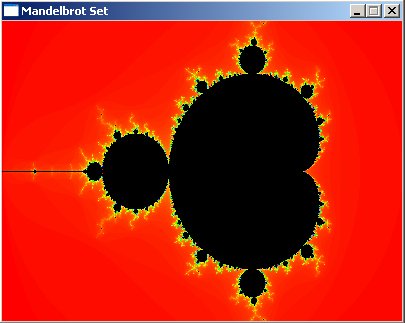
int main(int argc, char *argv[])
{
  screen(400, 300, 0, "Mandelbrot Set"); //make larger to see more detail!

  //each iteration, it calculates: newz = oldz*oldz + p, where p is the current pixel, and oldz stars at the origin
  double pr, pi;           //real and imaginary part of the pixel p
  double newRe, newIm, oldRe, oldIm;   //real and imaginary parts of new and old z
  double zoom = 1, moveX = -0.5, moveY = 0; //you can change these to zoom and change position
  ColorRGB color; //the RGB color value for the pixel
  int maxIterations = 300;//after how much iterations the function should stop

  //loop through every pixel
  for(int y = 0; y < h; y++)
  for(int x = 0; x < w; x++)
  {
    //calculate the initial real and imaginary part of z, based on the pixel location and zoom and position values
    pr = 1.5 * (x - w / 2) / (0.5 * zoom * w) + moveX;
    pi = (y - h / 2) / (0.5 * zoom * h) + moveY;
    newRe = newIm = oldRe = oldIm = 0; //these should start at 0,0
    //"i" will represent the number of iterations
    int i;
    //start the iteration process
    for(i = 0; i < maxIterations; i++)
    {
      //remember value of previous iteration
      oldRe = newRe;
      oldIm = newIm;
      //the actual iteration, the real and imaginary part are calculated
      newRe = oldRe * oldRe - oldIm * oldIm + pr;
      newIm = 2 * oldRe * oldIm + pi;
      //if the point is outside the circle with radius 2: stop
      if((newRe * newRe + newIm * newIm) > 4) break;
    }
    //use color model conversion to get rainbow palette, make brightness black if maxIterations reached
    color = HSVtoRGB(ColorHSV(i % 256, 255, 255 * (i < maxIterations)));
     //draw the pixel
     pset(x, y, color);
  }
  //make the Mandelbrot Set visible and wait to exit
  redraw();
  sleep();
  return 0;
}
|
int main(int argc, char *argv[])
{
  screen(320, 240, 0, "Mandelbrot Explorer");

  //each iteration, it calculates: new = old*old + c, where c is a constant and old starts at current pixel
  double pr, pi;           //real and imaginary part of the pixel p
  double newRe, newIm, oldRe, oldIm;   //real and imaginary parts of new and old
  double zoom = 1, moveX = -0.5, moveY = 0; //you can change these to zoom and change position
  ColorRGB color; //the RGB color value for the pixel
  int maxIterations = 128; //after how much iterations the function should stop

  double time, oldTime, frameTime; //current and old time, and their difference (for input)
  int showText = 0;

  //begin main program loop
  while(!done())
  {
    //draw the fractal
    for(int y = 0; y < h; y++)
    for(int x = 0; x < w; x++)
    {
      //calculate the initial real and imaginary part of z, based on the pixel location and zoom and position values
      pr = 1.5 * (x - w / 2) / (0.5 * zoom * w) + moveX;
      pi = (y - h / 2) / (0.5 * zoom * h) + moveY;
      newRe = newIm = oldRe = oldIm = 0; //these should start at 0,0
      //i will represent the number of iterations
      int i;
      //start the iteration process
      for(i = 0; i < maxIterations; i++)
      {
        //remember value of previous iteration
        oldRe = newRe;
        oldIm = newIm;
        //the actual iteration, the real and imaginary part are calculated
        newRe = oldRe * oldRe - oldIm * oldIm + pr;
        newIm = 2 * oldRe * oldIm + pi;
        //if the point is outside the circle with radius 2: stop
        if((newRe * newRe + newIm * newIm) > 4) break;
      }
      //use color model conversion to get rainbow palette, make brightness black if maxIterations reached
      color = HSVtoRGB(ColorHSV(i % 256, 255, 255 * (i < maxIterations)));
      //draw the pixel
      pset(x, y, color);
    }

    //print the values of all variables on screen if that option is enabled
    if(showText <= 1)
    {
      print("X:", 1, 1, RGB_White, 1); print(moveX, 17, 1, RGB_White, 1);
      print("Y:", 1, 9, RGB_White, 1); print(moveY, 17, 9, RGB_White, 1);
      print("Z:", 1, 17, RGB_White, 1); print(zoom, 17, 17, RGB_White, 1);
      print("N:", 1, 25, RGB_White, 1); print(maxIterations, 17, 25, RGB_White, 1);
    }
    //print the help text on screen if that option is enabled
    if(showText == 0)
    {
      print("Arrows move (X,Y), Keypad +,- zooms (Z)", 1, h - 25, RGB_White, 1);
      print("Keypad *,/ changes iterations (N)    ", 1, h - 17, RGB_White, 1);
      print("a to z=presets (qwerty), F1=cycle texts", 1, h - 9, RGB_White, 1);
    }
    redraw();

    //get the time and old time for time dependent input
    oldTime = time;
    time = getTicks();
    frameTime = time - oldTime;
    readKeys();
    //ZOOM keys
    if(keyDown(SDLK_KP_PLUS))  {zoom *= pow(1.001, frameTime);}
    if(keyDown(SDLK_KP_MINUS)) {zoom /= pow(1.001, frameTime);}
    //MOVE keys
    if(keyDown(SDLK_DOWN))  {moveY += 0.0003 * frameTime / zoom;}
    if(keyDown(SDLK_UP))  {moveY -= 0.0003 * frameTime / zoom;}
    if(keyDown(SDLK_RIGHT)) {moveX += 0.0003 * frameTime / zoom;}
    if(keyDown(SDLK_LEFT))  {moveX -= 0.0003 * frameTime / zoom;}
    //keys to change number of iterations
    if(keyPressed(SDLK_KP_MULTIPLY)) {maxIterations *= 2;}
    if(keyPressed(SDLK_KP_DIVIDE))   {if(maxIterations > 2) maxIterations /= 2;}
    //key to change the text options
    if(keyPressed(SDLK_F1)) {showText++; showText %= 3;}
  }
  return 0;
}
|