#define filterWidth 3
#define filterHeight 3

double filter[filterHeight][filterWidth] =
{
   0, 0, 0,
   0, 1, 0,
   0, 0, 0
};

double factor = 1.0;
double bias = 0.0;

int main(int argc, char *argv[])
{
  //load the image into the buffer
  unsigned long w = 0, h = 0;
  std::vector<ColorRGB> image;
  loadImage(image, w, h, "pics/photo3.png");
  std::vector<ColorRGB> result(image.size());

  //set up the screen
  screen(w, h, 0, "Filters");

  ColorRGB color; //the color for the pixels

  //apply the filter
  for(int x = 0; x < w; x++)
  for(int y = 0; y < h; y++)
  {
    double red = 0.0, green = 0.0, blue = 0.0;

    //multiply every value of the filter with corresponding image pixel
    for(int filterY = 0; filterY < filterHeight; filterY++)
    for(int filterX = 0; filterX < filterWidth; filterX++)
    {
      int imageX = (x - filterWidth / 2 + filterX + w) % w;
      int imageY = (y - filterHeight / 2 + filterY + h) % h;
      red += image[imageY * w + imageX].r * filter[filterY][filterX];
      green += image[imageY * w + imageX].g * filter[filterY][filterX];
      blue += image[imageY * w + imageX].b * filter[filterY][filterX];
    }

    //truncate values smaller than zero and larger than 255
    result[y * w + x].r = min(max(int(factor * red + bias), 0), 255);
    result[y * w + x].g = min(max(int(factor * green + bias), 0), 255);
    result[y * w + x].b = min(max(int(factor * blue + bias), 0), 255);
  }

  //draw the result buffer to the screen
  for(int y = 0; y < h; y++)
  for(int x = 0; x < w; x++)
  {
    pset(x, y, result[y * w + x]);
  }

  //redraw & sleep
  redraw();
  sleep();
}
|
    //take absolute value and truncate to 255
    result[y * w + x].r = min(abs(int(factor * red + bias)), 255);
    result[y * w + x].g = min(abs(int(factor * green + bias)), 255);
    result[y * w + x].b = min(abs(int(factor * blue + bias)), 255);
|
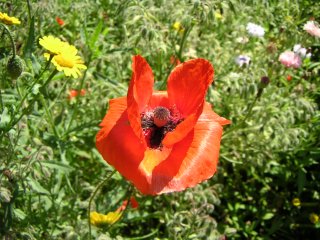
#define filterWidth 3
#define filterHeight 3

double filter[filterHeight][filterWidth] =
{
   0.0, 0.2,  0.0,
   0.2, 0.2,  0.2,
   0.0, 0.2,  0.0
};

double factor = 1.0;
double bias = 0.0;
|
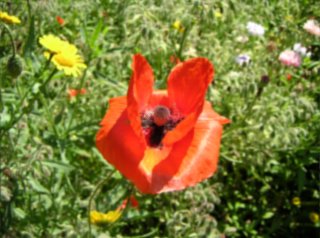
#define filterWidth 5
#define filterHeight 5

double filter[filterHeight][filterWidth] =
{
  0, 0, 1, 0, 0,
  0, 1, 1, 1, 0,
  1, 1, 1, 1, 1,
  0, 1, 1, 1, 0,
  0, 0, 1, 0, 0,
};

double factor = 1.0 / 13.0;
double bias = 0.0;
|
如果滤波核是一个全部填充相同值的矩形(并配以适当的缩放因子使所有元素之和为 1.0),则该模糊称为均值模糊(box blur)。若需要非常大的均值模糊,本教程中的朴素卷积代码会过慢。但可以用更快的算法来实现:由于每个值的权重相同,可以逐行遍历图像像素,对 N 个值(N 为矩形框的宽度)求和并除以适当的缩放因子。对于每个后续像素,加入矩形框中新出现的像素值,减去从矩形框左侧移出的像素值。对每条扫描线水平处理完毕后,再垂直方向执行相同操作(为优化 CPU 缓存利用率,在垂直方向处理时,应确保实际上仍以扫描线顺序操作,而非按列操作,因此需要为每列维护一个求和值)。这一切都需要仔细处理边界情况(矩形框部分超出图像范围时)以及图像尺寸小于矩形框的情况。本文不提供相关代码,因为这已超出本教程的范围。
对于 2D 情形,先在 X 方向应用该公式,再在 Y 方向应用(二者可分离),合并后为: G(x, y) = exp(-(x * x + y * y) / (2 * sigma * sigma)) / (2 * pi * sigma * sigma)
公式中各参数说明:
*) sigma 决定模糊半径(理论上半径无限大,但由于指数衰减,实际上存在一个值小到肉眼不可见的截止点,sigma 越大,截止点越远)
*) x 和 y 为坐标值,且以滤波核中心为原点
上述公式可用于构建任意大小的滤波核。以下是一些可直接使用的简单示例:
3x3 滤波核近似:
#define filterWidth 3 #define filterHeight 3 double filter[filterHeight][filterWidth] = { 1, 2, 1, 2, 4, 2, 1, 2, 1, }; double factor = 1.0 / 16.0; double bias = 0.0;
5x5 滤波核近似:
#define filterWidth 5 #define filterHeight 5 double filter[filterHeight][filterWidth] = { 1, 4, 6, 4, 1, 4, 16, 24, 16, 4, 6, 24, 36, 24, 6, 4, 16, 24, 16, 4, 1, 4, 6, 4, 1, }; double factor = 1.0 / 256.0; double bias = 0.0;
精确(非近似)示例:
#define filterWidth 3 #define filterHeight 3 double filter[filterHeight][filterWidth] = { 0.077847, 0.123317, 0.077847, 0.123317, 0.195346, 0.123317, 0.077847, 0.123317, 0.077847, }; double factor = 1.0; double bias = 0.0;
对于较大的模糊半径(例如绘图软件中的高斯模糊),需要更大的滤波核。本教程中的朴素卷积实现对于大半径高斯模糊在实践中会过慢。但有解决方案:使用本系列傅里叶变换教程中介绍的傅里叶变换方法,或更快的近似方法:连续多次执行均值模糊,三次均值模糊已能很好地近似高斯模糊。如何实现快速均值模糊已在上一章节中介绍。该方法有效的原因在于,高斯分布自然地从多个过程的叠加中涌现。
#define filterWidth 9
#define filterHeight 9

double filter[filterHeight][filterWidth] =
{
  1, 0, 0, 0, 0, 0, 0, 0, 0,
  0, 1, 0, 0, 0, 0, 0, 0, 0,
  0, 0, 1, 0, 0, 0, 0, 0, 0,
  0, 0, 0, 1, 0, 0, 0, 0, 0,
  0, 0, 0, 0, 1, 0, 0, 0, 0,
  0, 0, 0, 0, 0, 1, 0, 0, 0,
  0, 0, 0, 0, 0, 0, 1, 0, 0,
  0, 0, 0, 0, 0, 0, 0, 1, 0,
  0, 0, 0, 0, 0, 0, 0, 0, 1,
};

double factor = 1.0 / 9.0;
double bias = 0.0;
|
#define filterWidth 5
#define filterHeight 5

double filter[filterHeight][filterWidth] =
{
   0,  0, -1,  0,  0,
   0,  0, -1,  0,  0,
   0,  0,  2,  0,  0,
   0,  0,  0,  0,  0,
   0,  0,  0,  0,  0,
};

double factor = 1.0;
double bias = 0.0;
|
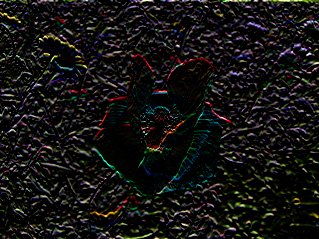
#define filterWidth 5
#define filterHeight 5

double filter[filterHeight][filterWidth] =
{
   0,  0, -1,  0,  0,
   0,  0, -1,  0,  0,
   0,  0,  4,  0,  0,
   0,  0, -1,  0,  0,
   0,  0, -1,  0,  0,
};

double factor = 1.0;
double bias = 0.0;
|
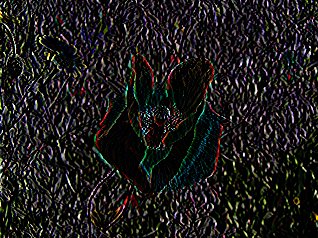
#define filterWidth 5
#define filterHeight 5

double filter[filterHeight][filterWidth] =
{
  -1,  0,  0,  0,  0,
   0, -2,  0,  0,  0,
   0,  0,  6,  0,  0,
   0,  0,  0, -2,  0,
   0,  0,  0,  0, -1,
};

double factor = 1.0;
double bias = 0.0;
|
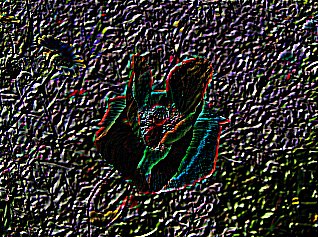
#define filterWidth 3
#define filterHeight 3

double filter[filterHeight][filterWidth] =
{
  -1, -1, -1,
  -1,  8, -1,
  -1, -1, -1
};

double factor = 1.0;
double bias = 0.0;
|
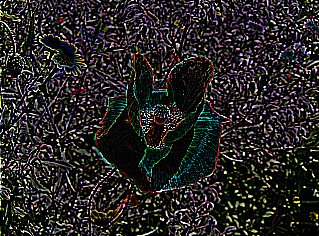
#define filterWidth 3
#define filterHeight 3

double filter[filterHeight][filterWidth] =
{
  -1, -1, -1,
  -1,  9, -1,
  -1, -1, -1
};

double factor = 1.0;
double bias = 0.0;
|
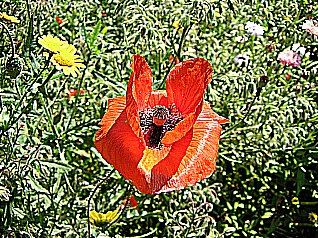
#define filterWidth 5
#define filterHeight 5

double filter[filterHeight][filterWidth] =
{
  -1, -1, -1, -1, -1,
  -1,  2,  2,  2, -1,
  -1,  2,  8,  2, -1,
  -1,  2,  2,  2, -1,
  -1, -1, -1, -1, -1,
};

double factor = 1.0 / 8.0;
double bias = 0.0;
|
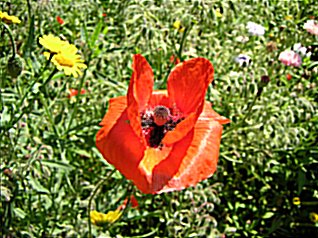
#define filterWidth 3
#define filterHeight 3

double filter[filterHeight][filterWidth] =
{
   1,  1,  1,
   1, -7,  1,
   1,  1,  1
};

double factor = 1.0;
double bias = 0.0;
|
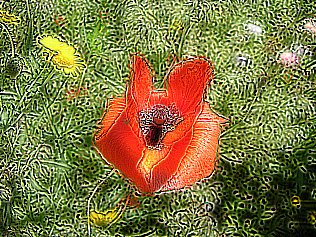
#define filterWidth 3
#define filterHeight 3

double filter[filterHeight][filterWidth] =
{
  -1, -1,  0,
  -1,  0,  1,
   0,  1,  1
};

double factor = 1.0;
double bias = 128.0;
|
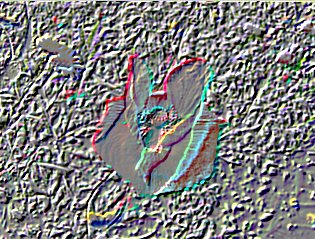
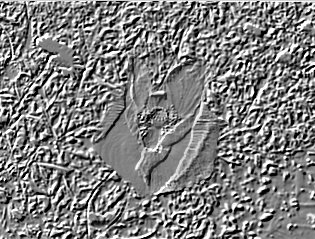
#define filterWidth 5
#define filterHeight 5

double filter[filterHeight][filterWidth] =
{
  -1, -1, -1, -1,  0,
  -1, -1, -1,  0,  1,
  -1, -1,  0,  1,  1,
  -1,  0,  1,  1,  1,
   0,  1,  1,  1,  1
};

double factor = 1.0;
double bias = 128.0;
|
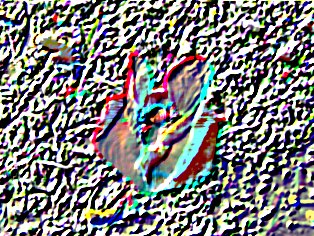
#define filterWidth 3
#define filterHeight 3

double filter[filterHeight][filterWidth] =
{
  1, 1, 1,
  1, 1, 1,
  1, 1, 1
};

double factor = 1.0 / 9.0;
double bias = 0.0;
|
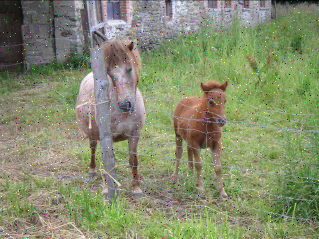
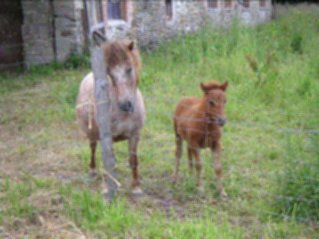
#define filterWidth 3
#define filterHeight 3

//color arrays
int red[filterWidth * filterHeight];
int green[filterWidth * filterHeight];
int blue[filterWidth * filterHeight];

int selectKth(int* data, int s, int e, int k);

int main(int argc, char *argv[])
{
  //load the image into the buffer
  unsigned long w = 0, h = 0;
  std::vector<ColorRGB> image;
  loadImage(image, w, h, "pics/noise.png");
  std::vector<ColorRGB> result(image.size());

  //set up the screen
  screen(w, h, 0, "Median Filter");

  ColorRGB color; //the color for the pixels

  //apply the filter
  for(int y = 0; y < h; y++)
  for(int x = 0; x < w; x++)
  {
    int n = 0;
    //set the color values in the arrays
    for(int filterY = 0; filterY < filterHeight; filterY++)
    for(int filterX = 0; filterX < filterWidth; filterX++)
    {
      int imageX = (x - filterWidth / 2 + filterX + w) % w;
      int imageY = (y - filterHeight / 2 + filterY + h) % h;
      red[n] = image[imageY * w + imageX].r;
      green[n] = image[imageY * w + imageX].g;
      blue[n] = image[imageY * w + imageX].b;
      n++;
    }

    int filterSize = filterWidth * filterHeight;
    result[y * w + x].r = red[selectKth(red, 0, filterSize, filterSize / 2)];
    result[y * w + x].g = green[selectKth(green, 0, filterSize, filterSize / 2)];
    result[y * w + x].b = blue[selectKth(blue, 0, filterSize, filterSize / 2)];
  }

  //draw the result buffer to the screen
  for(int y = 0; y < h; y++)
  for(int x = 0; x < w; x++)
  {
    pset(x, y, result[y * w + x]);
  }

  //redraw & sleep
  redraw();
  sleep();
}
|
// selects the k-th largest element from the data between start and end (end exclusive)
int selectKth(int* data, int s, int e, int k)  // in practice, use C++'s nth_element, this is for demonstration only
{
  // 5 or less elements: do a small insertion sort
  if(e - s <= 5)
  {
    for(int i = s + 1; i < e; i++)
      for(int j = i; j > 0 && data[j - 1] > data[j]; j--) std::swap(data[j], data[j - 1]);
    return s + k;
  }

  int p = (s + e) / 2; // choose simply center element as pivot

  // partition around pivot into smaller and larger elements
  std::swap(data[p], data[e - 1]); // temporarily move pivot to the end
  int j = s;  // new pivot location to be calculated
  for(int i = s; i + 1 < e; i++)
    if(data[i] < data[e - 1]) std::swap(data[i], data[j++]);
  std::swap(data[j], data[e - 1]);

  // recurse into the applicable partition
  if(k == j - s) return s + k;
  else if(k < j - s) return selectKth(data, s, j, k);
  else return selectKth(data, j + 1, e, k - j + s - 1); // subtract amount of smaller elements from k
}
|
补充说明:上述中值算法实现非常慢。无论是使用 C++ 的 nth_element 函数,还是这里演示用的 "selectKth",对于求 9 个或 25 个数的中位数,二者带来的收益都很有限。无论某个算法在大 N 情况下的理论复杂度如何,如果只处理某个固定的小规模输入,就需要选用最适合该输入规模的方案。
如果要实现 3x3 中值滤波,最快的方案是使用一个大小为 9 的硬编码排序网络,取其中间输出即为中位数。然后对每个输出像素,将其对应的 9 个输入像素逐颜色通道地应用该网络。硬编码的优势在于算法无需包含依赖输入规模的条件判断(条件判断,如 if 语句和 for 循环的条件,对 CPU 来说非常慢,因为它们会打断流水线)。本文不提供相关代码,因为高效的实际实现超出了本教程的范围。如有兴趣,可以查阅"排序网络"(sorting network)相关资料——它是一种针对两个数的大小关系进行硬编码交换操作的序列,选用已被证明对所需输入规模最优的方案。由于我们不需要完全排序,只需取中位数,因此可以去掉所有不影响中间输出元素的交换操作,并将那些只有一个输出贡献于中间输出元素的交换操作替换为 min 或 max。这将给出理论上最快的实现,在此基础上的进一步加速只能依靠并行性和/或更优的 CPU 指令。