
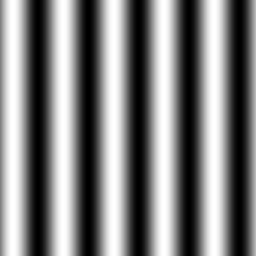
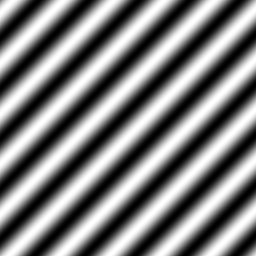
int main(int argc, char *argv[])
{
  screen(256, 256, 0, "Plasma");

  for(int y = 0; y < h; y++)
  for(int x = 0; x < w; x++)
  {
    int color = int(128.0 + (128.0 * sin(x / 8.0)));
    pset(x, y, ColorRGB(color, color, color));
  }
  redraw();
  sleep();
  return(0);
} |
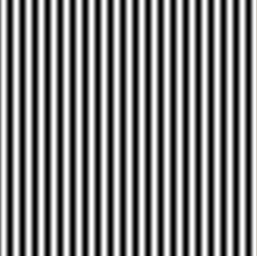
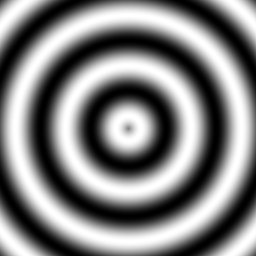
int main(int argc, char *argv[])
{
  screen(256, 256, 0, "Plasma");

  for(int y = 0; y < h; y++)
  for(int x = 0; x < w; x++)
  {
    int color = int(128.0 + (128.0 * sin(sqrt((x - w / 2.0) * (x - w / 2.0) + (y - h / 2.0) * (y - h / 2.0)) / 8.0)));
    pset(x, y, ColorRGB(color, color, color));
  }
  redraw();
  sleep();
  return(0);
} |
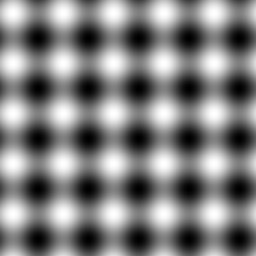
int main(int argc, char *argv[])
{
  screen(256, 256, 0, "Plasma");

  for(int y = 0; y < h; y++)
  for(int x = 0; x < w; x++)
  {
    int color = int
    (
        128.0 + (128.0 * sin(x / 8.0))
      + 128.0 + (128.0 * sin(y / 8.0))
    ) / 2;
    pset(x, y, ColorRGB(color, color, color));
  }
  redraw();
  sleep();
  return(0);
} |



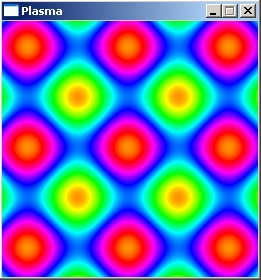
#define screenWidth 256
#define screenHeight 256

// Y-coordinate first because we use horizontal scanlines
Uint32 plasma[screenHeight][screenWidth];
Uint32 buffer[screenHeight][screenWidth];
Uint32 palette[256];

int main(int argc, char *argv[])
{
  screen(screenWidth, screenHeight, 0, "Plasma");

  //generate the palette
  ColorRGB colorRGB;
  for(int x = 0; x < 256; x++)
  {
    //use HSVtoRGB to vary the Hue of the color through the palette
    colorRGB = HSVtoRGB(ColorHSV(x, 255, 255));
    palette[x] = RGBtoINT(colorRGB);
  }

  //generate the plasma once
  for(int y = 0; y < h; y++)
  for(int x = 0; x < w; x++)
  {
    //the plasma buffer is a sum of sines
    int color = int
    (
        128.0 + (128.0 * sin(x / 16.0))
      + 128.0 + (128.0 * sin(y / 16.0))
    ) / 2;
    plasma[y][x] = color;
} |
  int paletteShift;

  //start the animation loop, it rotates the palette
  while(!done())
  {
    //the parameter to shift the palette varies with time
    paletteShift = int(getTime() / 10.0);

    //draw every pixel again, with the shifted palette color
    for(int y = 0; y < h; y++)
    for(int x = 0; x < w; x++)
    {
      buffer[y][x] = palette[(plasma[y][x] + paletteShift) % 256];
    }

    //make everything visible
    drawBuffer(buffer[0]);
    redraw();
  }

  return(0);
} |
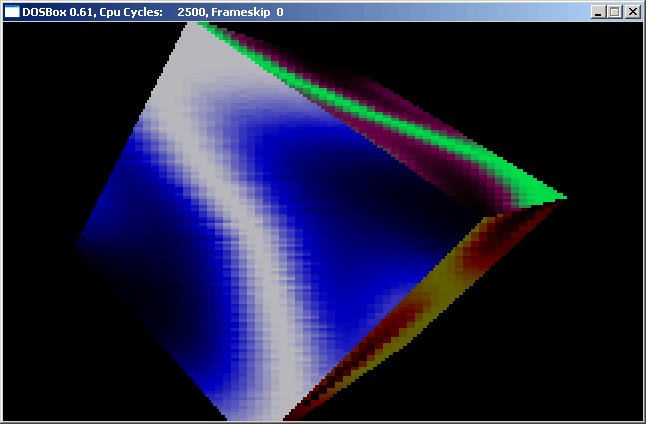
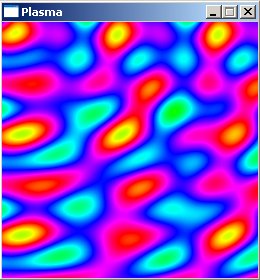
    int color = int
    (
        128.0 + (128.0 * sin(x / 16.0))
      + 128.0 + (128.0 * sin(y / 8.0))
      + 128.0 + (128.0 * sin((x + y) / 16.0))
      + 128.0 + (128.0 * sin(sqrt(double(x * x + y * y)) / 8.0))
    ) / 4;
plasma[y][x] = color; |
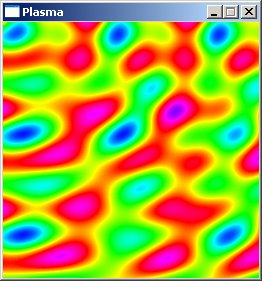
    int color = int
    (
        128.0 + (128.0 * sin(x / 16.0))
      + 128.0 + (128.0 * sin(y / 32.0))
      + 128.0 + (128.0 * sin(sqrt(double((x - w / 2.0)* (x - w / 2.0) + (y - h / 2.0) * (y - h / 2.0))) / 8.0))
      + 128.0 + (128.0 * sin(sqrt(double(x * x + y * y)) / 8.0))
    ) / 4;
plasma[y][x] = color; |
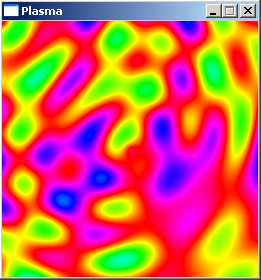
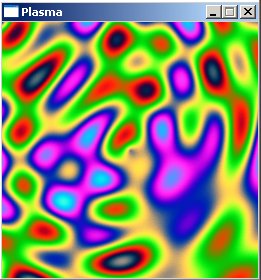
  //generate the palette
  ColorRGB colorRGB;
  for(int x = 0; x < 256; x++)
  {
    colorRGB.r = int(128.0 + 128 * sin(3.1415 * x / 32.0));
    colorRGB.g = int(128.0 + 128 * sin(3.1415 * x / 64.0));
    colorRGB.b = int(128.0 + 128 * sin(3.1415 * x / 128.0));
    palette[x] = RGBtoINT(colorRGB);
} |

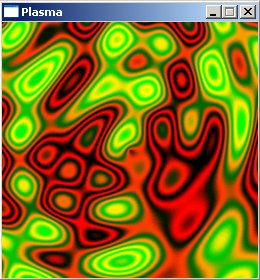
  //generate the palette
  ColorRGB colorRGB;
  for(int x = 0; x < 256; x++)
  {
    colorRGB.r = int(128.0 + 128 * sin(3.1415 * x / 16.0));
    colorRGB.g = int(128.0 + 128 * sin(3.1415 * x / 128.0));
    colorRGB.b = 0;
    palette[x] = RGBtoINT(colorRGB);
} |

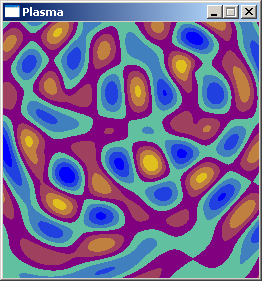
#define dist(a, b, c, d) sqrt(double((a - c) * (a - c) + (b - d) * (b - d)))

int main(int argc, char *argv[])
{
  screen(256, 256, 0, "Plasma");
  double time;
  while(!done())
  {
    time = getTime() / 50.0;
    for(int y = 0; y < h; y++)
    for(int x = 0; x < w; x++)
    {
      double value = sin(dist(x + time, y, 128.0, 128.0) / 8.0)
             + sin(dist(x, y, 64.0, 64.0) / 8.0)
             + sin(dist(x, y + time / 7, 192.0, 64) / 7.0)
             + sin(dist(x, y, 192.0, 100.0) / 8.0);
      int color = int((4 + value)) * 32;
      pset(x, y, ColorRGB(color, color * 2, 255 - color));
    }
    redraw();
  }
  return(0);
} |